

Request a Video via Link
Collect video files from partners or freelancers without sharing access to your account
You can request videos from your collaborators or customers by sharing a secure upload link. They can upload video files directly to your Gumlet workspace without needing a Gumlet account.
When to use this
- Collecting video testimonials or user-generated content (UGC)
- Getting raw footage from freelancers or partners
- Allowing non-technical teams to send videos without logging into the dashboard
How it work
- Share this link with anyone who needs to send you a video.
- The recipient opens the link, and uploads their file.
- The video is added into your selected folder & playlist and processed like any other upload.
Create a request link
-
Go to Video Library in your Gumlet dashboard.

-
Click "Request Video" the dropdown under the "Upload Video".
-
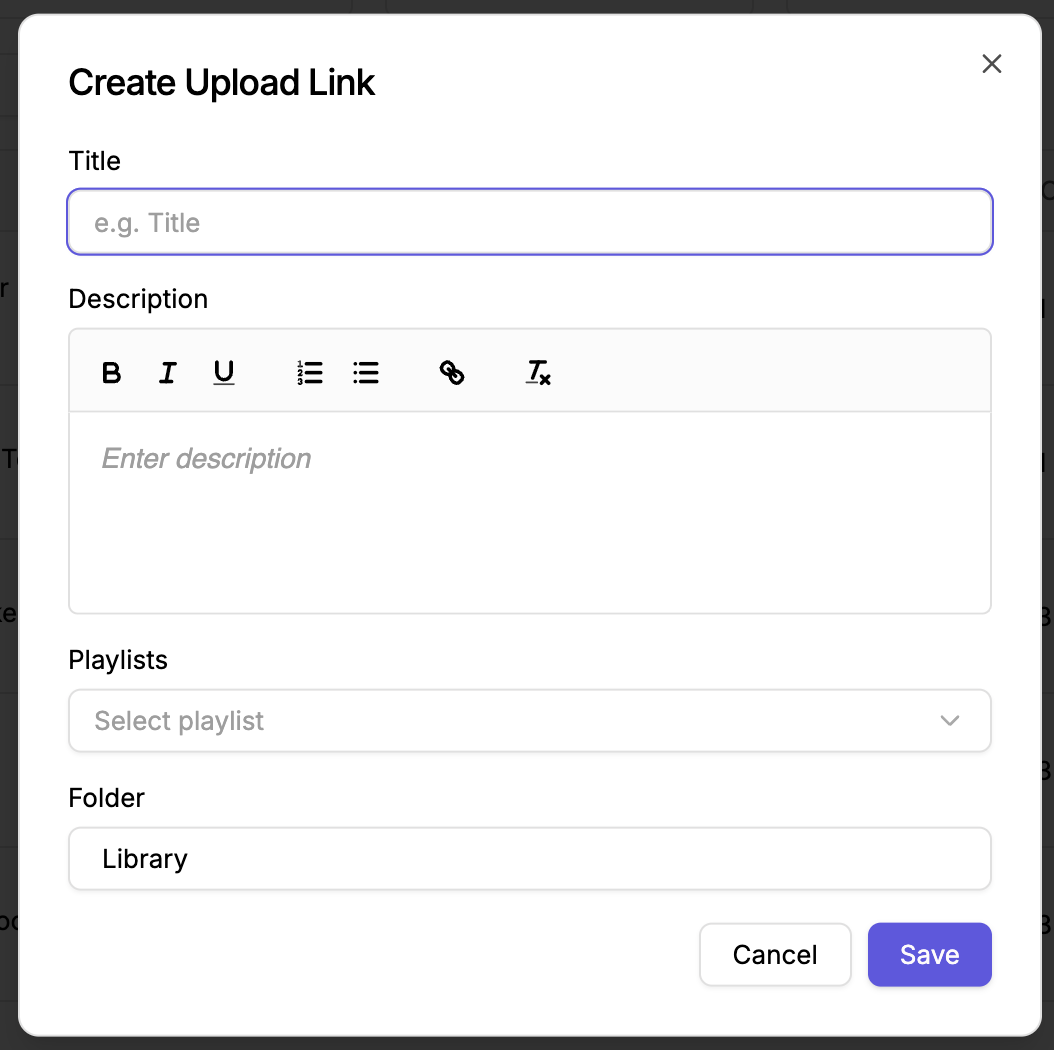
Add video details, select folder and playlist to manage video directly in your account.
-
Click Save and copy the generated URL.
Updated 5 months ago
Did this page help you?