

Import from Mux
Migrate from Mux to Gumlet
If you currently use Mux to host and protect your videos, our Import tool helps you move your entire library to Gumlet with just a few clicks.
Requirements:
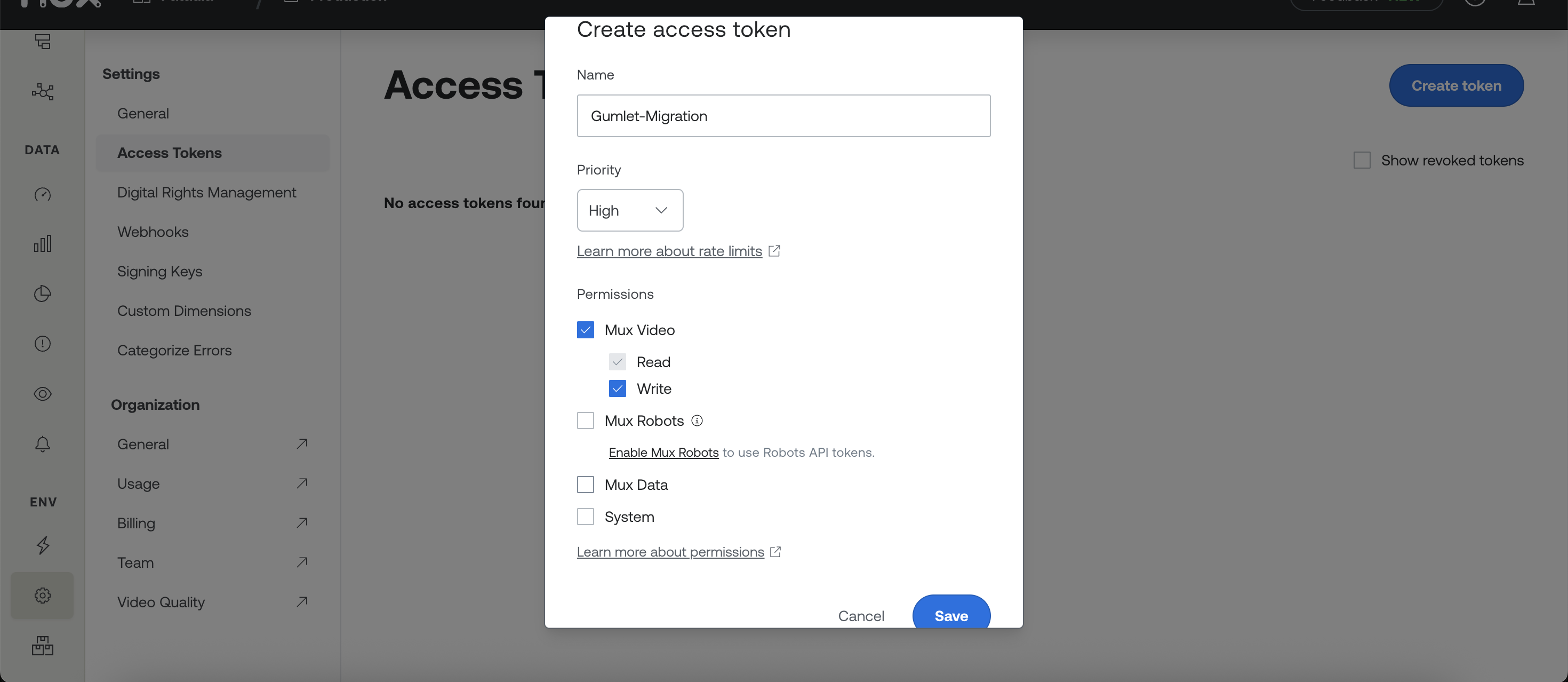
- Access token from a Mux account, with read and write access of `Mux Video`
- A paid Gumlet account (subscribe here)
Step-by-step: import from Mux
-
Go to the Import page and click Connect under Mux.
-
Create the access token from the Mux dashboard.
- Click on Settings in the left sidebar
- Create a new token with read and write permissions for Mux Video
- Add newly created Token ID and Secret Key on Gumlet.
-
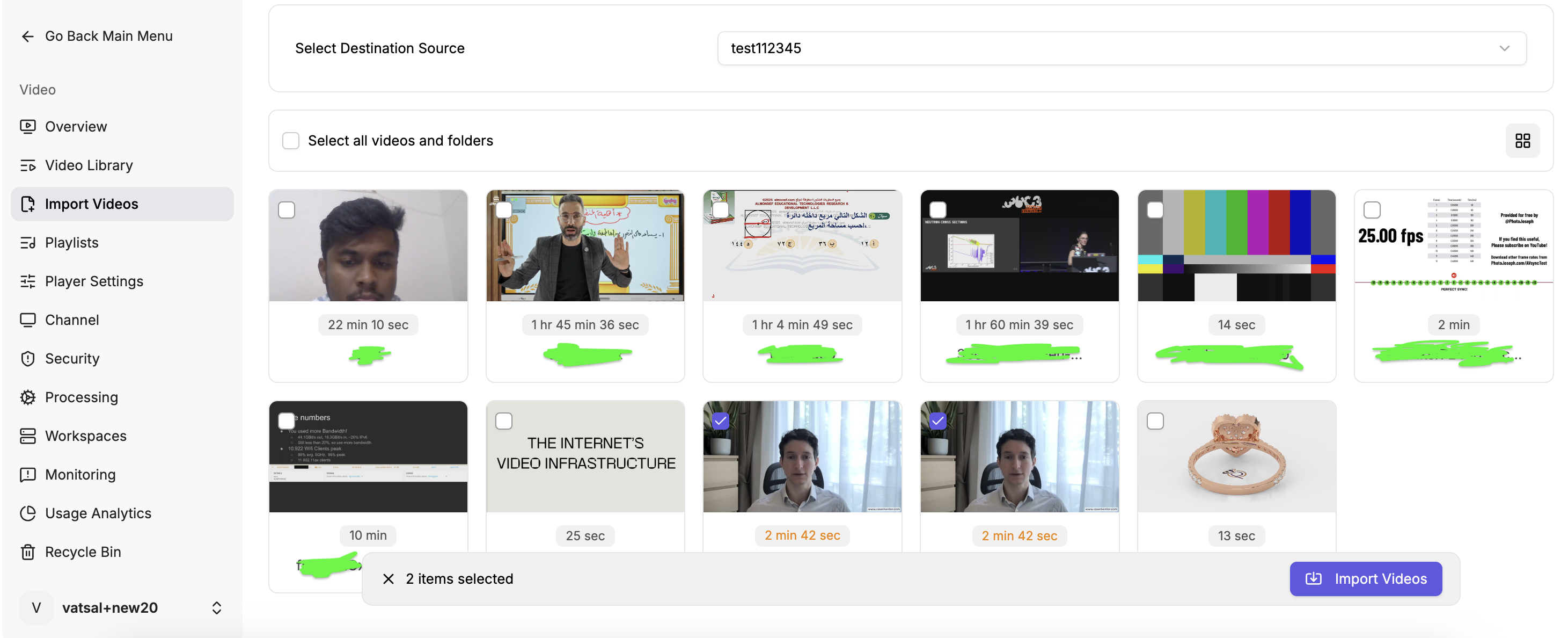
Select the Destination workspace in Gumlet.
-
Select **videos** you want to import.
-
Click Import Videos to start the migration.
Import progress
- Track live import progress from your Gumlet dashboard.
- Get an email notification when the import job finishes, along with a quick summary of the imported videos.
Update Embed Code
All your videos are imported to Gumlet. If you use Mux Embeds, you must replace your URL prefix with a Gumlet prefix to support the same URL structure to play your videos directly.
Mux Embed URL looks like https:// player.mux.com / <playback_id>
Replace https://player.mux.com/ with https://play.gumlet.io/embed/
Your new URL will be like https://play.gumlet.io/embed/<playback_id>
Updated 21 days ago