

Recycle Bin
Recover deleted videos from the Recycle Bin to your video library
The Recycle Bin allows you to easily manage your digital content. If you accidentally delete a video, there's no need to panic - you can quickly restore it from the Recycle Bin and recover your work.
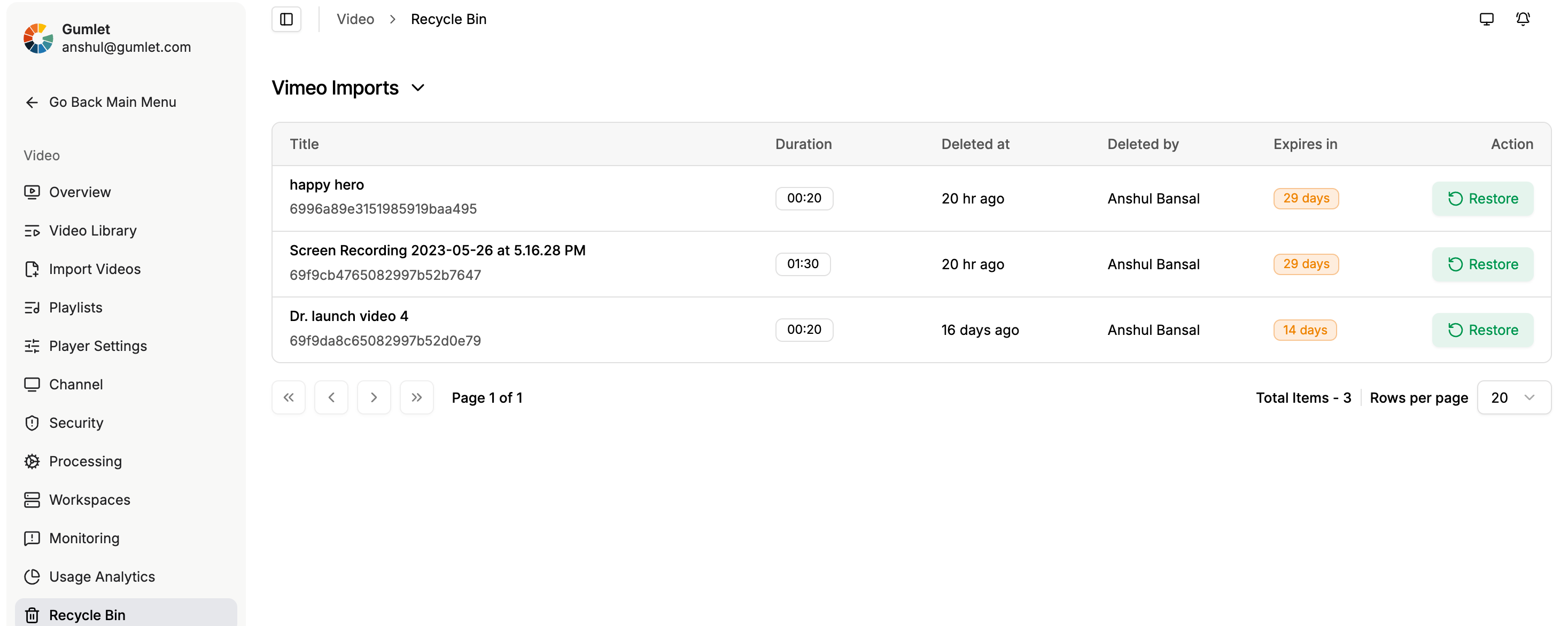
Steps to Access the Recycle Bin and Restore a Video:
1. Navigate to Video Library
2. Access the Recycle Bin
3. Restore a Video:
- Browse through the list of deleted videos in the Recycle Bin.
- Select the video you wish to restore and click the Restore Button.
Deleted videos can only be restored within 30 days of deletion.Videos are deleted permanently after 30 days and cannot be restored after the period.
Note: Deleted videos do not count toward your storage usage. However, restoring a deleted video will occupy space in your video storage quota.
Updated 2 months ago
Did this page help you?