

Embed Videos on Squarespace
Learn how to Embed Gumlet videos on Squarespace
Follow these simple steps to embed the videos on the Squarespace websites.
Steps to Embed:
-
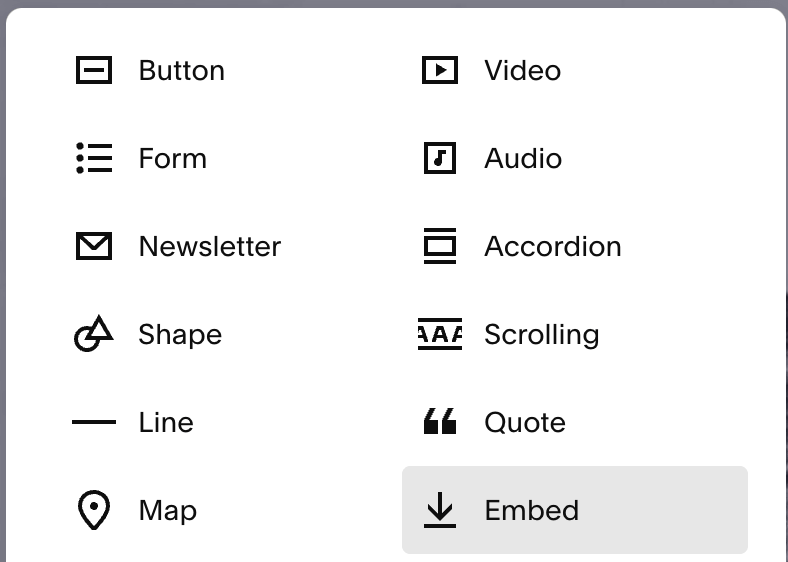
Go to the Squarespace website and when you add a new block, search for Embed.
-
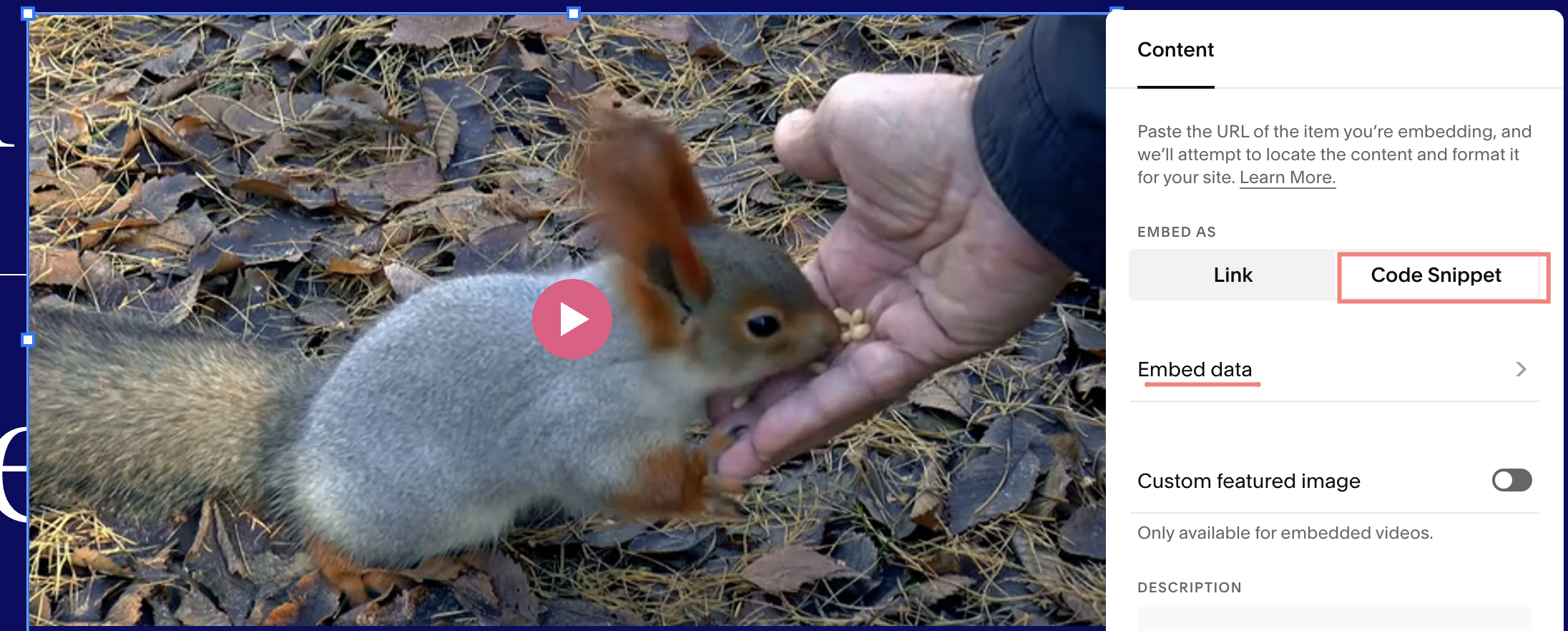
Edit the content of the Embed block. Go to Code Snippet > Embed data.
-
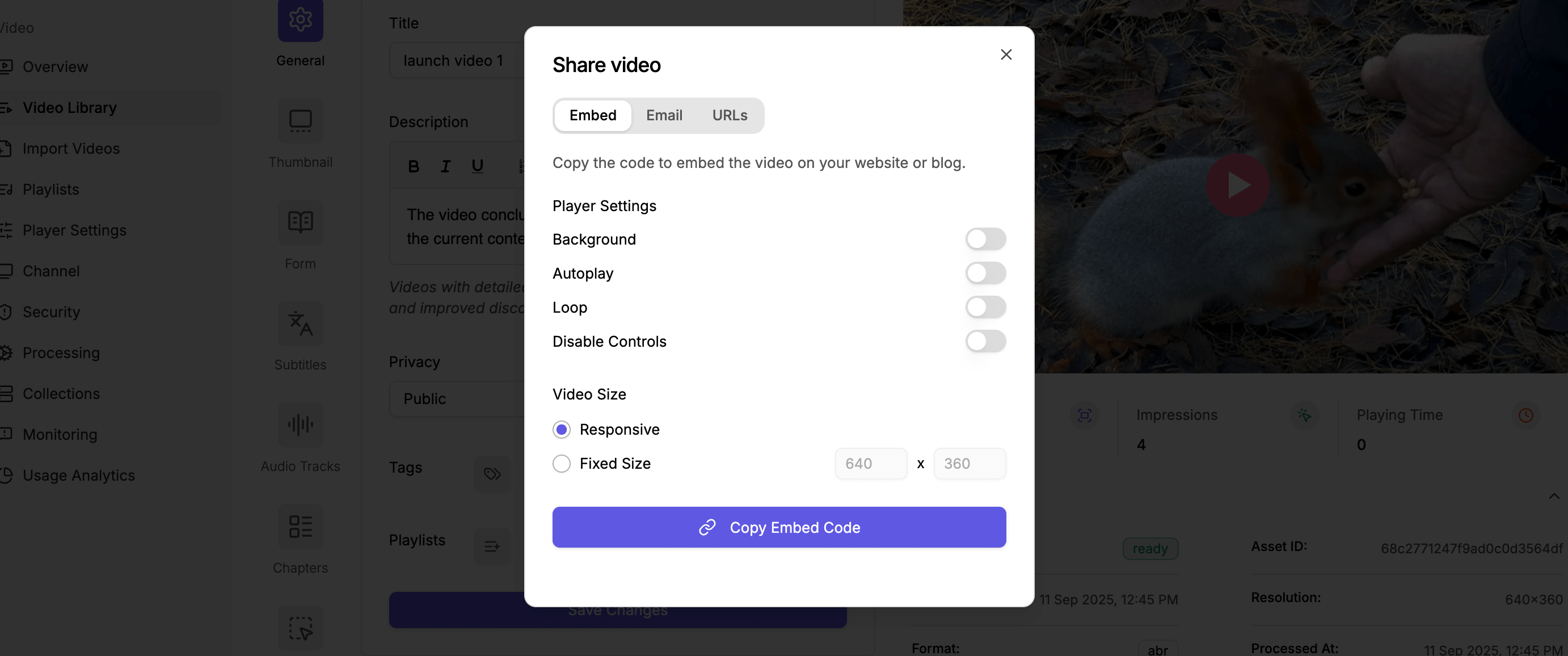
Go to the video details page and copy the embed code.
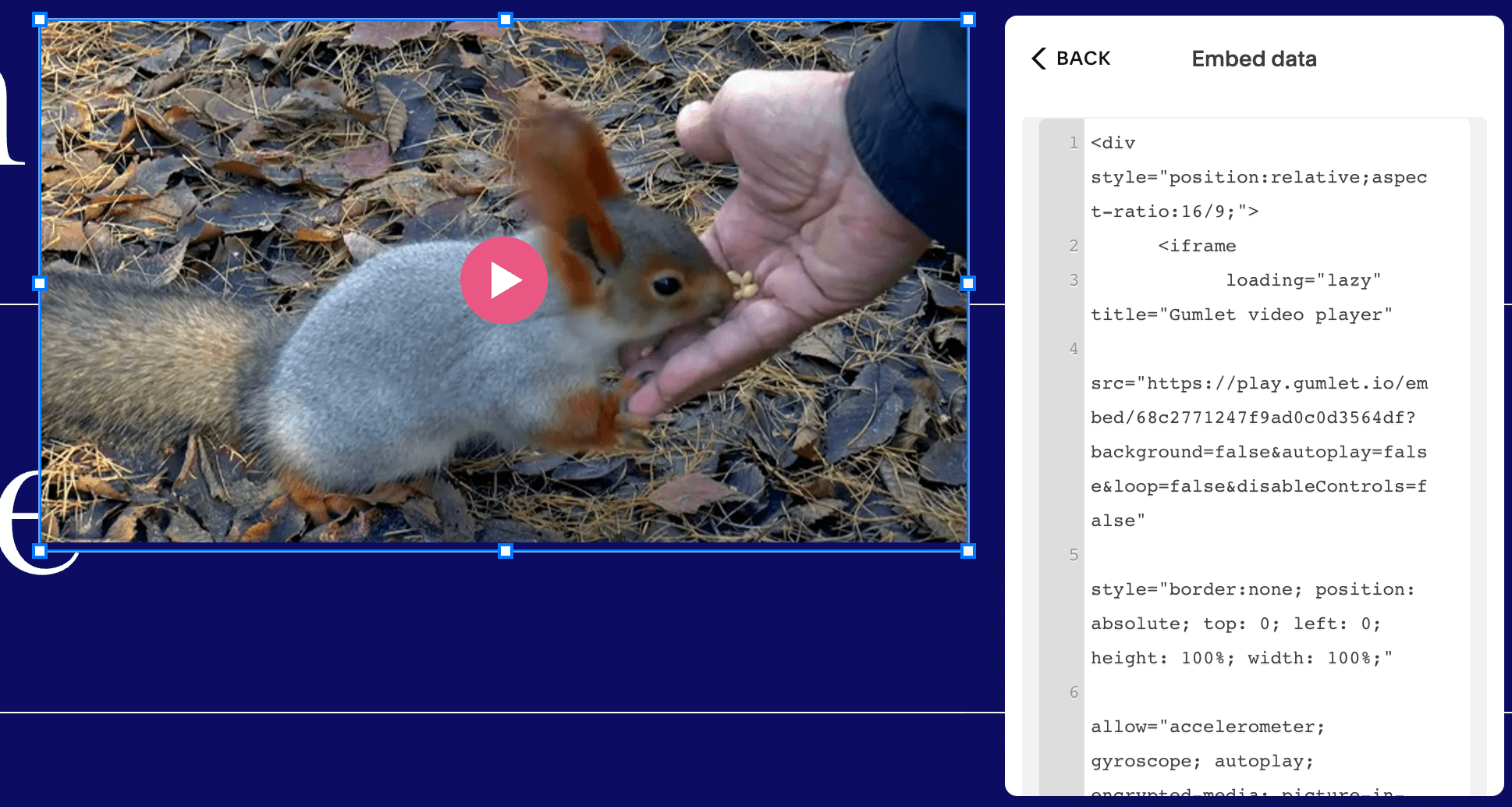
- Paste the copied embed code under the HTML Settings > Code option.
- When you save it, the video will appear on the page you added it.
Updated 11 months ago
Did this page help you?