

Embed Videos on Moodle
Learn how to Embed Gumlet videos on Moodle with dynamic watermark and user level analytics
Follow these simple steps to embed videos in Moodle.
Steps to Embed:
-
Go to the Moodle courses in Edit mode and create/edit a page.
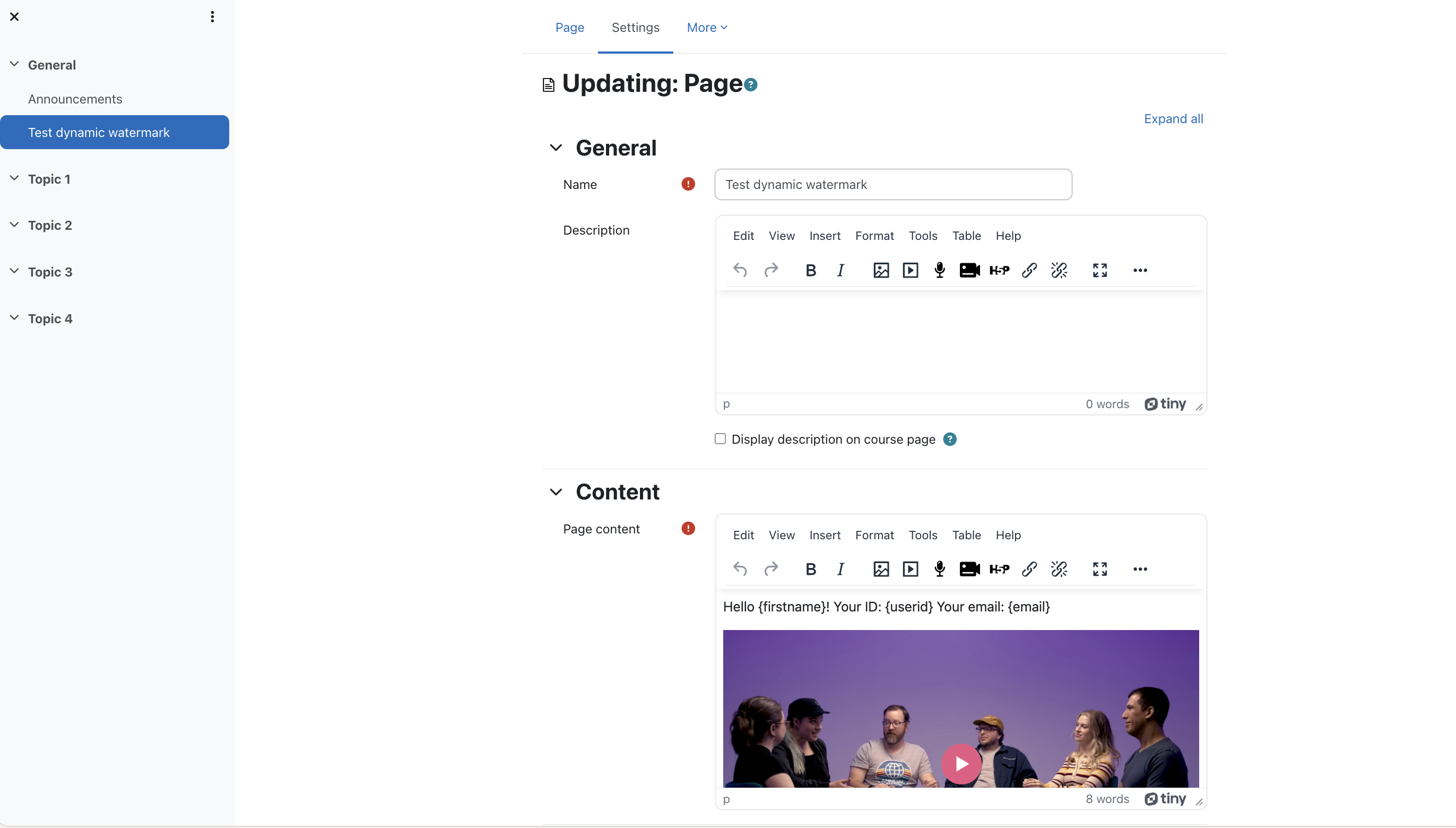
-
Click on View > Source Code to edit the source code.
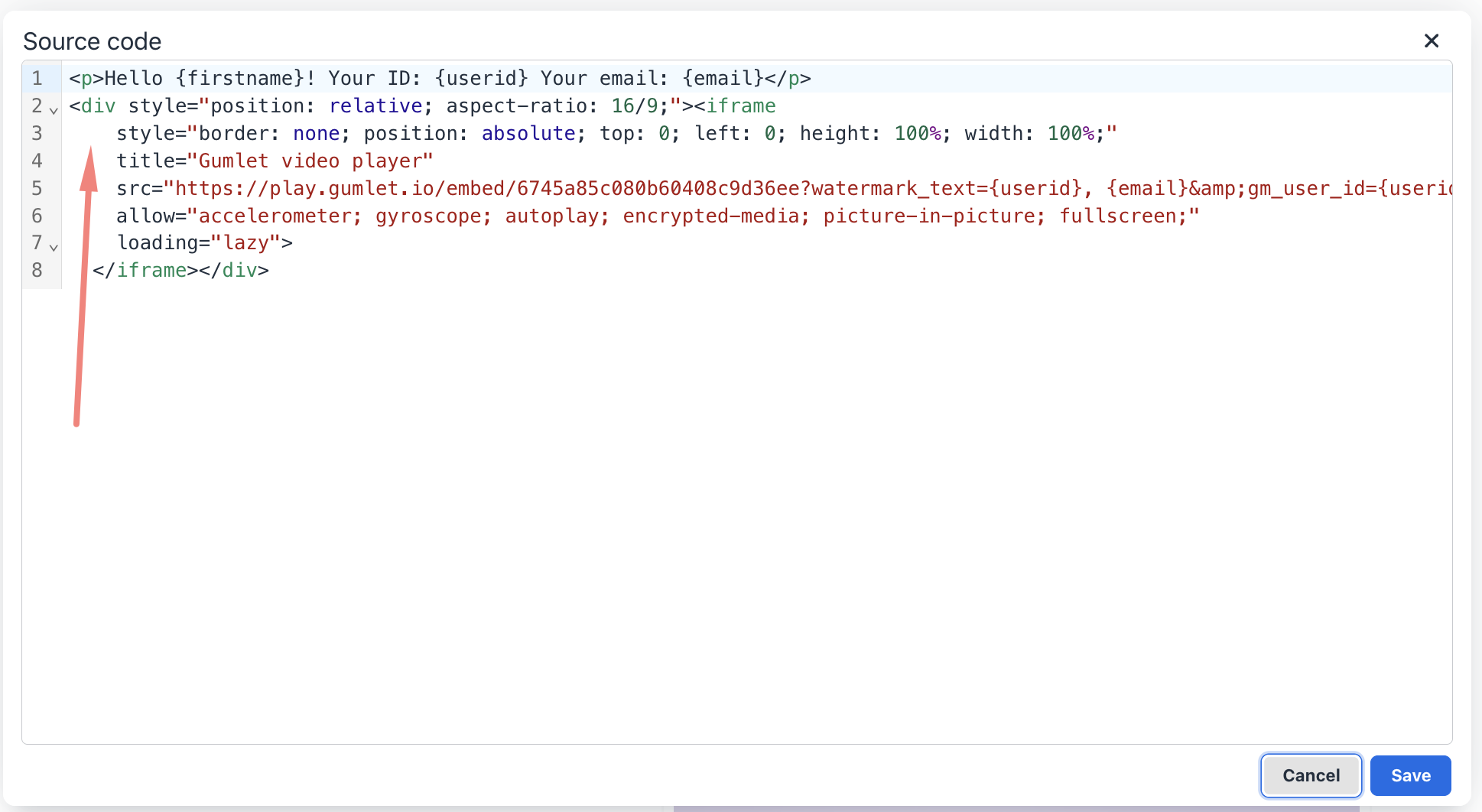
The arrow shows embed code from Gumlet. The next step will explain how to get the embed code.
-
Go to the video details page and copy the embed code.
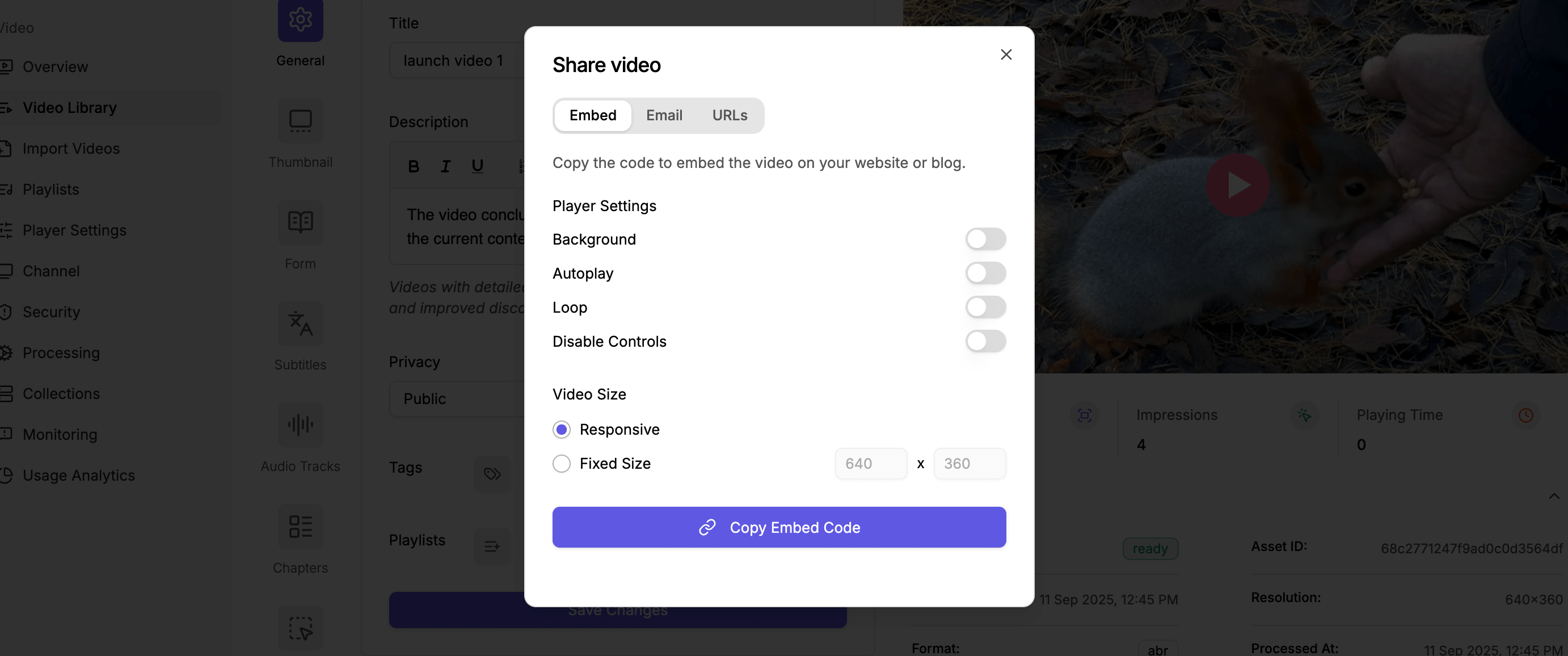
- Paste the copied embed code under the source code section. The video will be added.
Dynamic watermark and User-level analytics support
We need a plugin to get Moodle user data on your course pages. You can install and enable the FilterCodes plugin - https://moodle.org/plugins/filter_filtercodes
Add dynamic watermark
- You can look at the user params available here and add them as shown below in
watermark_textparam. You can pass multiple profile attributes to show on the dynamic watermark. - Update the src to:
Note: The above sample src will show Moodle userid and email
https://play.gumlet.io/embed/6745a85c080b60408c9d36ee?watermark_text=USERID,{email} - To make sure this is working, we recommend verifying the moving watermark on the course page.
Add user level analytics
-
You can look at the user params available here. Gumlet accept 3 params,
gm_user_id,gm_user_nameandgm_user_email. -
Update the src to
https://play.gumlet.io/embed/6745a85c080b60408c9d36ee?watermark_text=USERID,{email}&gm_user_id=USERID&gm_user_name={firstname} {lastname}&gm_user_email={email} -
To ensure everything is working correctly, we recommend verifying the
srcvalue from the from the browser's console (rendered HTML code).
A sample with dynamic watermark and user-level-analytics
Sample embedded code with dynamic watermark and user-level-analytics
<div style="position: relative; aspect-ratio: 16/9;">
	<iframe
    style="border: none; position: absolute; top: 0; left: 0; height: 100%; width: 100%;"
    title="Gumlet video player"
    src="https://play.gumlet.io/embed/6745a85c080b60408c9d36ee?watermark_text=USERID, {email}&gm_user_id=USERID&gm_user_name={firstname} {lastname}&gm_user_email={email}"
    allow="accelerometer; gyroscope; autoplay; encrypted-media; picture-in-picture; fullscreen;"
		loading="lazy">
	</iframe>
</div>
Updated 6 months ago