Embed Videos on Teachable
Learn how to Embed Gumlet videos, including DRM-protected videos, on Teachable
Teachable's built-in Video and Embed media content blocks don't accept a Gumlet embed code. Use the Custom code block instead, under Advanced Tools — this is available on the Basic plan and higher.
Steps to Embed:
-
Go to your course's curriculum and open the lesson you want to add the video to.
-
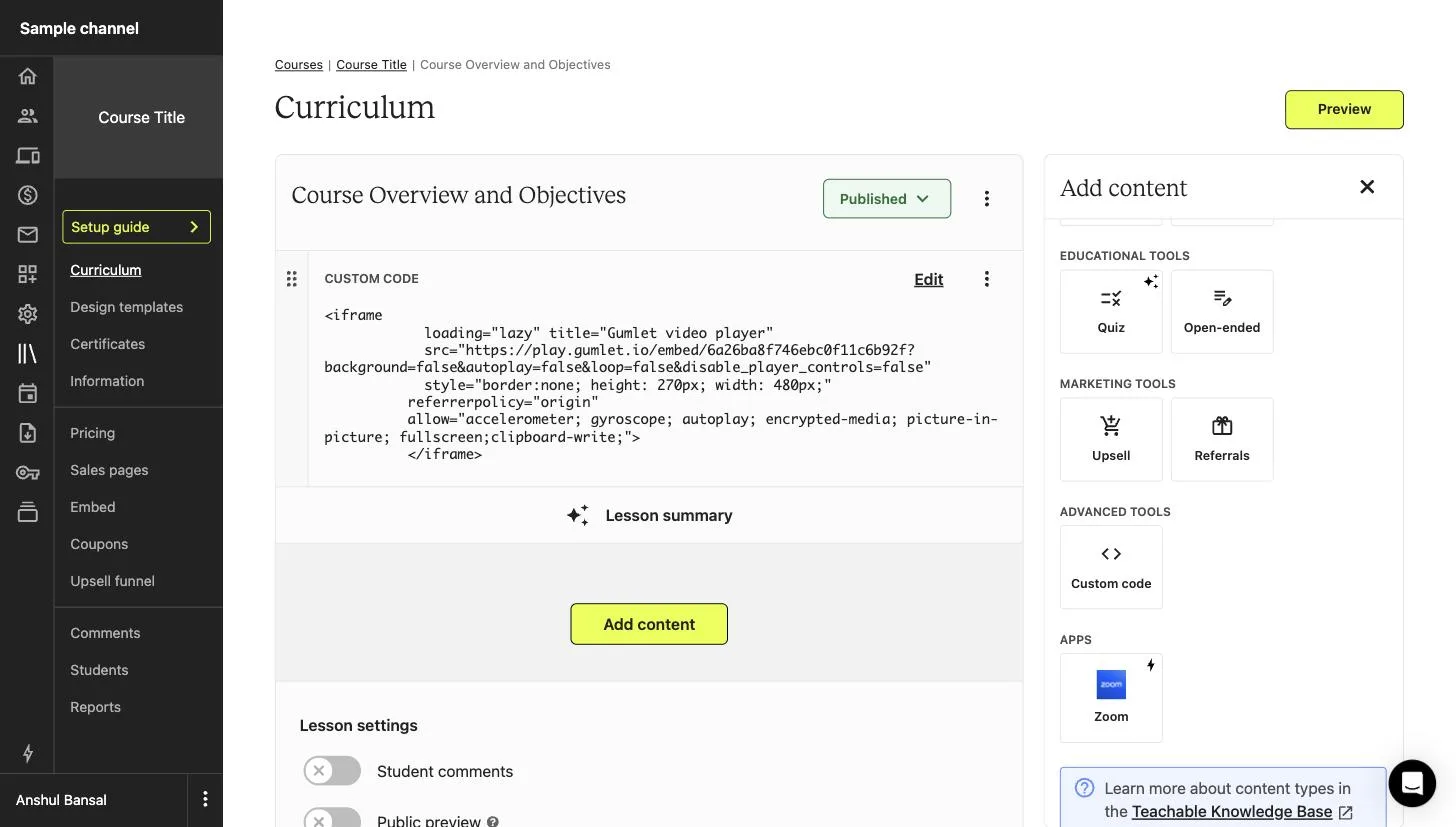
Click Add content, then scroll to Advanced Tools and select Custom code.
-
Go to the video details page and copy the embed code.
-
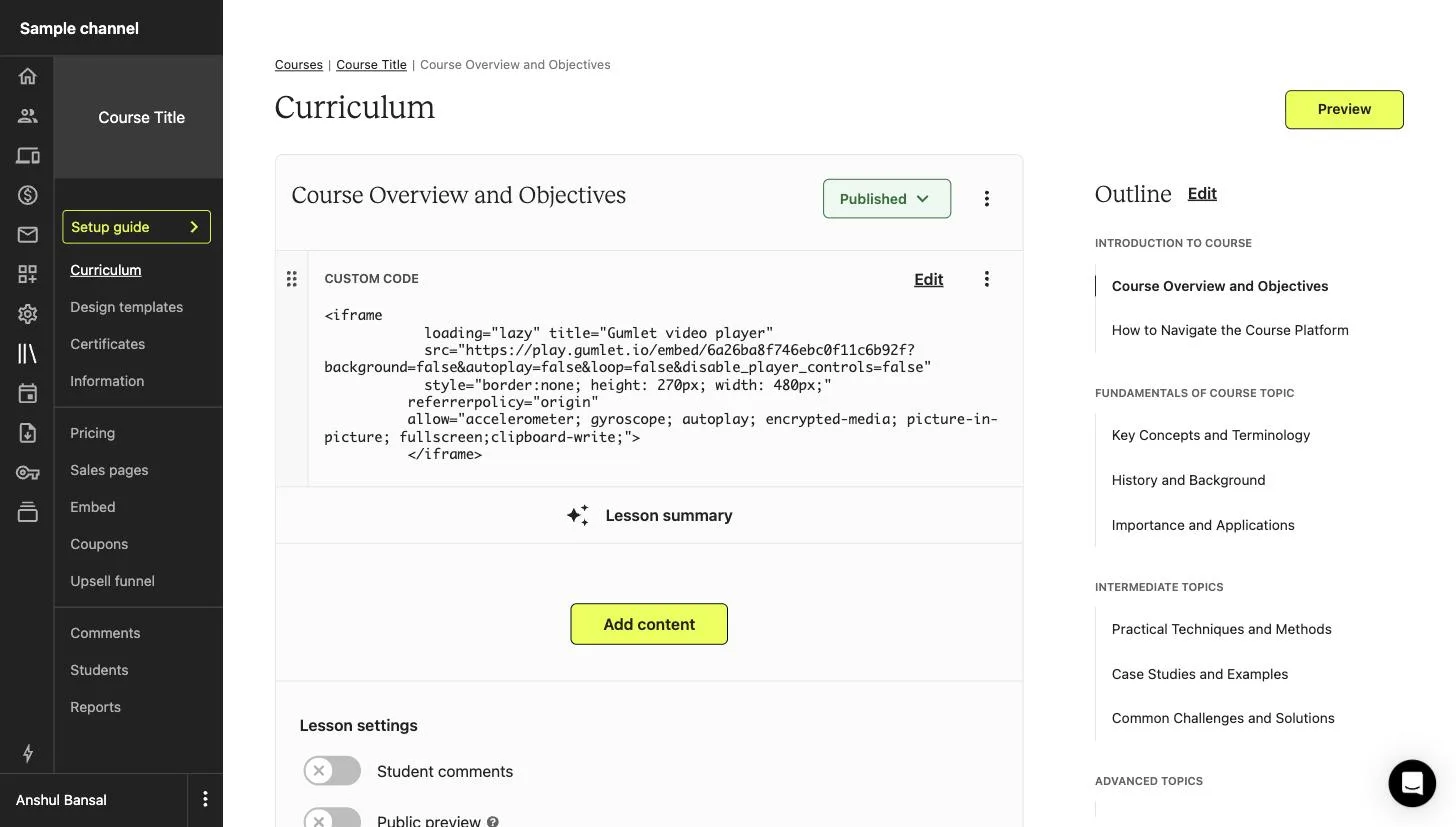
Paste the copied embed code into the Custom Code block.
-
Save the lesson. The video will play where you added it, including DRM-protected videos.
Note
Teachable doesn't provide support for custom code blocks and can't guarantee their compatibility with future versions of Teachable. Course progress and completion tracking don't apply to videos added this way.

