Embed Videos on Kajabi
Learn how to Embed Gumlet videos, including DRM-protected videos, on Kajabi
Kajabi's built-in "Video" media option only accepts an uploaded file, so it can't be used to embed a Gumlet video. Instead, embed Gumlet videos directly into the lesson content using the code view in Kajabi's editor.
Steps to Embed:
-
Go to Products > Courses and open the lesson you want to add the video to.
-
Under Media, select None.
-
In the lesson content editor, click the code view icon (
</>) in the toolbar.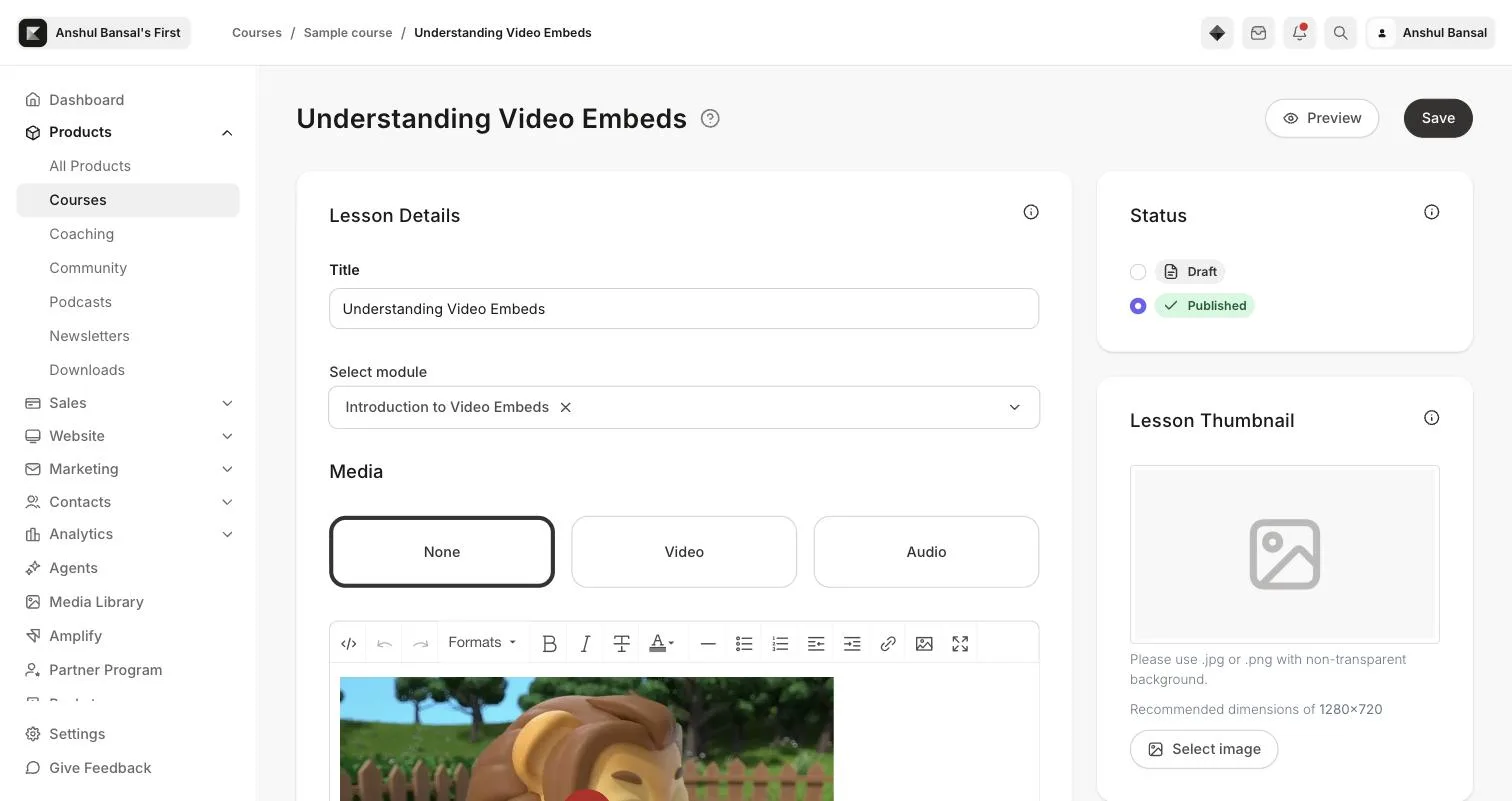
-
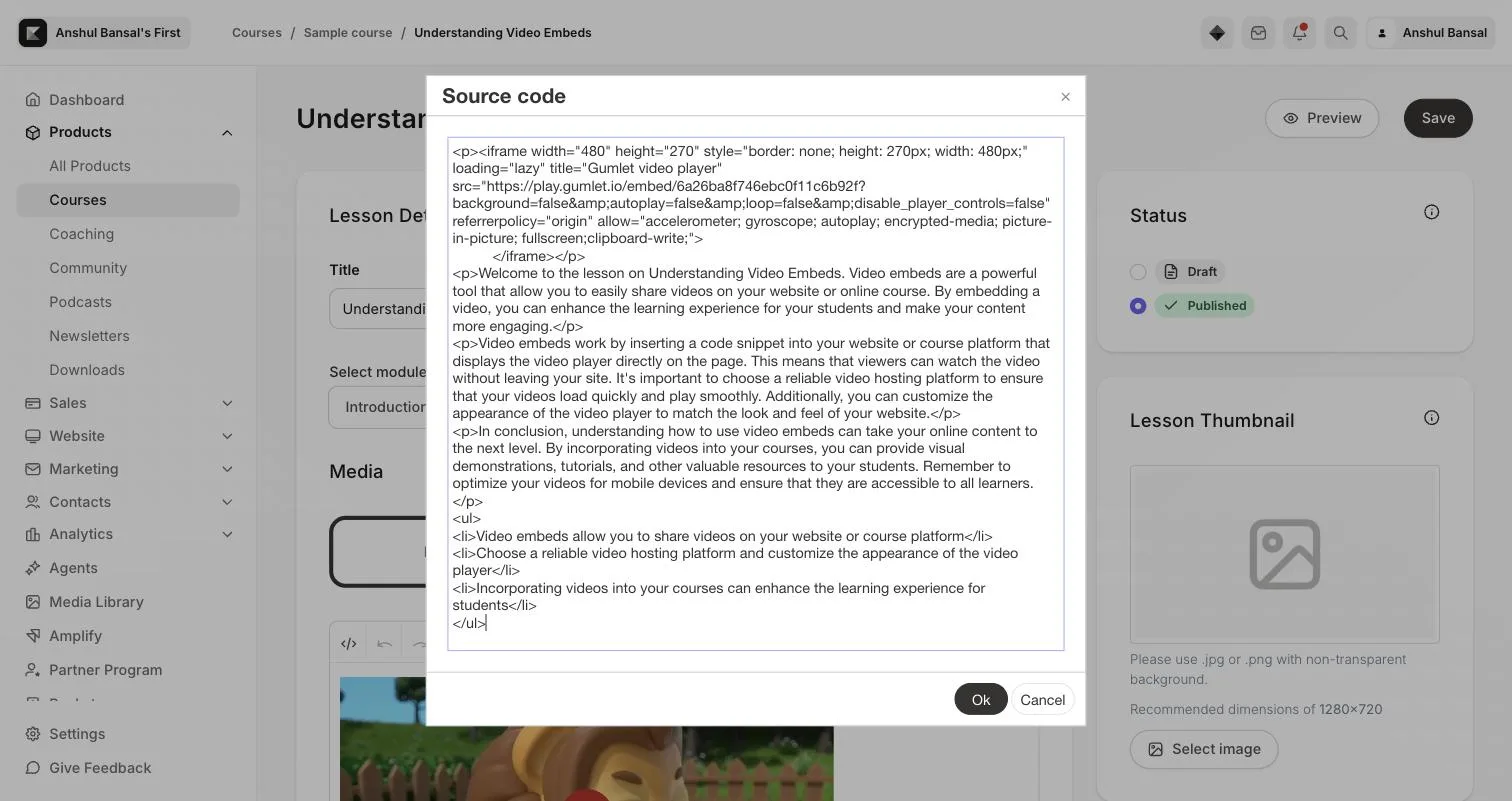
Go to the video details page and copy the embed code.
-
Paste the copied embed code into the source code box and click Ok.
-
Save the lesson. The video will appear where you added it, including DRM-protected videos.
Note
Kajabi's lesson editor preview (inside the course builder) may not play DRM-protected videos
correctly, since the editor's preview frame doesn't pass through the encrypted-media
permission the video needs. This is limited to the editor preview — DRM videos play normally
on the published, live lesson page.

