Embed Videos on Tutor LMS
Learn how to Embed Gumlet videos, including DRM-protected videos, on Tutor LMS
Tutor LMS is a WordPress LMS plugin. The easiest way to embed Gumlet videos on a Tutor LMS lesson is with the official Gumlet WordPress plugin, which also works for DRM-protected videos.
Steps to Embed (using the Gumlet WordPress plugin):
-
Install and activate the Gumlet Video plugin from your WordPress dashboard: Plugins > Add New, search for "Gumlet Video".
-
Open a course in Tutor LMS > Courses and go to the lesson you want to add the video to.
-
In the lesson's Video panel, set the video source to Shortcode.
-
Go to the video details page and copy the asset ID, then paste it as a shortcode:
[gumlet id=<asset_id>]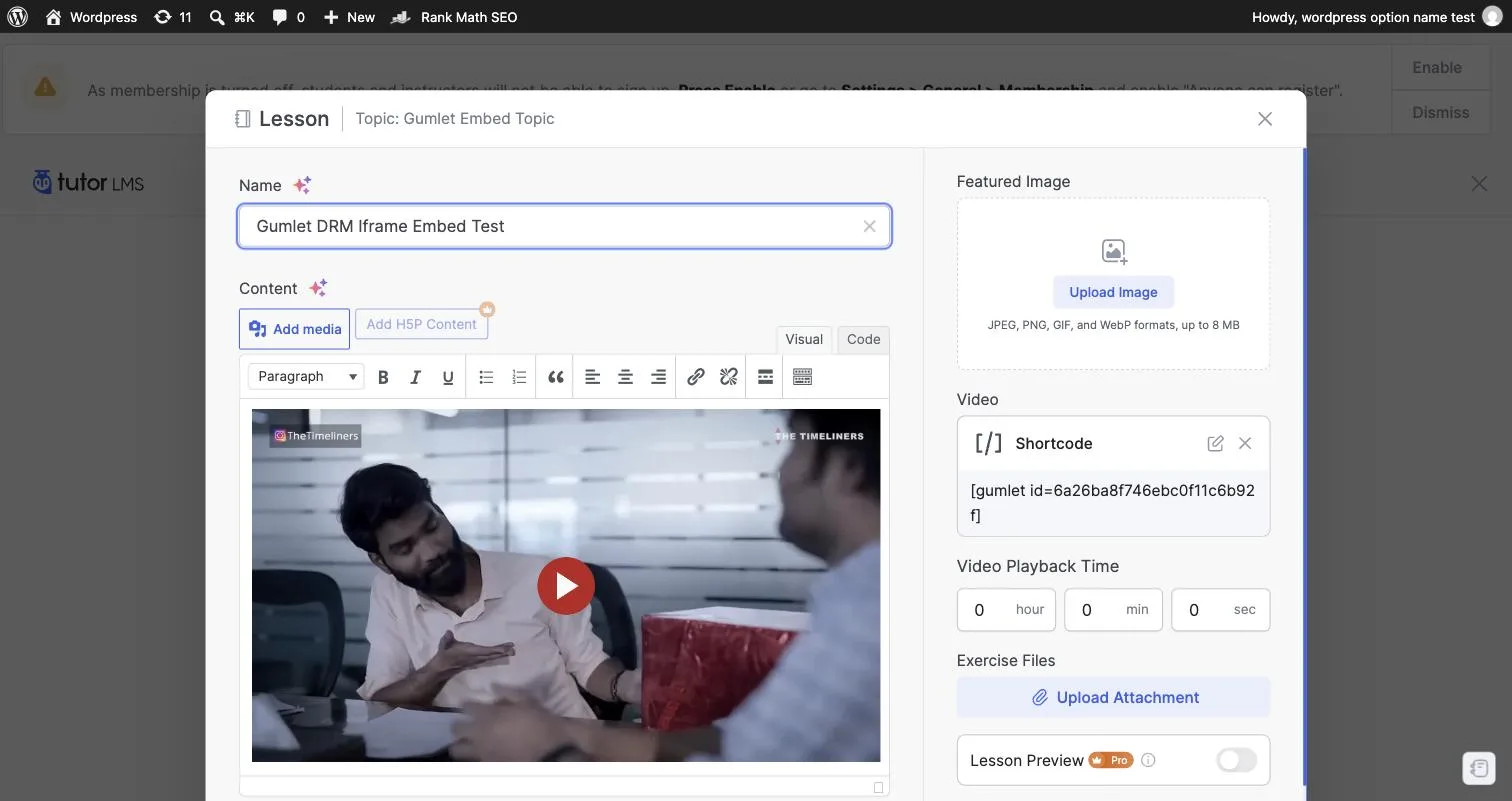
-
Save the lesson. The video will play using the Gumlet player, including for DRM-protected videos.
Alternative: paste the embed code directly
If you'd rather not install the plugin, you can paste Gumlet's iframe embed code directly into the lesson.
-
In the lesson's Video panel, set the video source to Embedded.
-
Go to the video details page and copy the embed code.
-
Paste the copied embed code into the Embedded field and save.
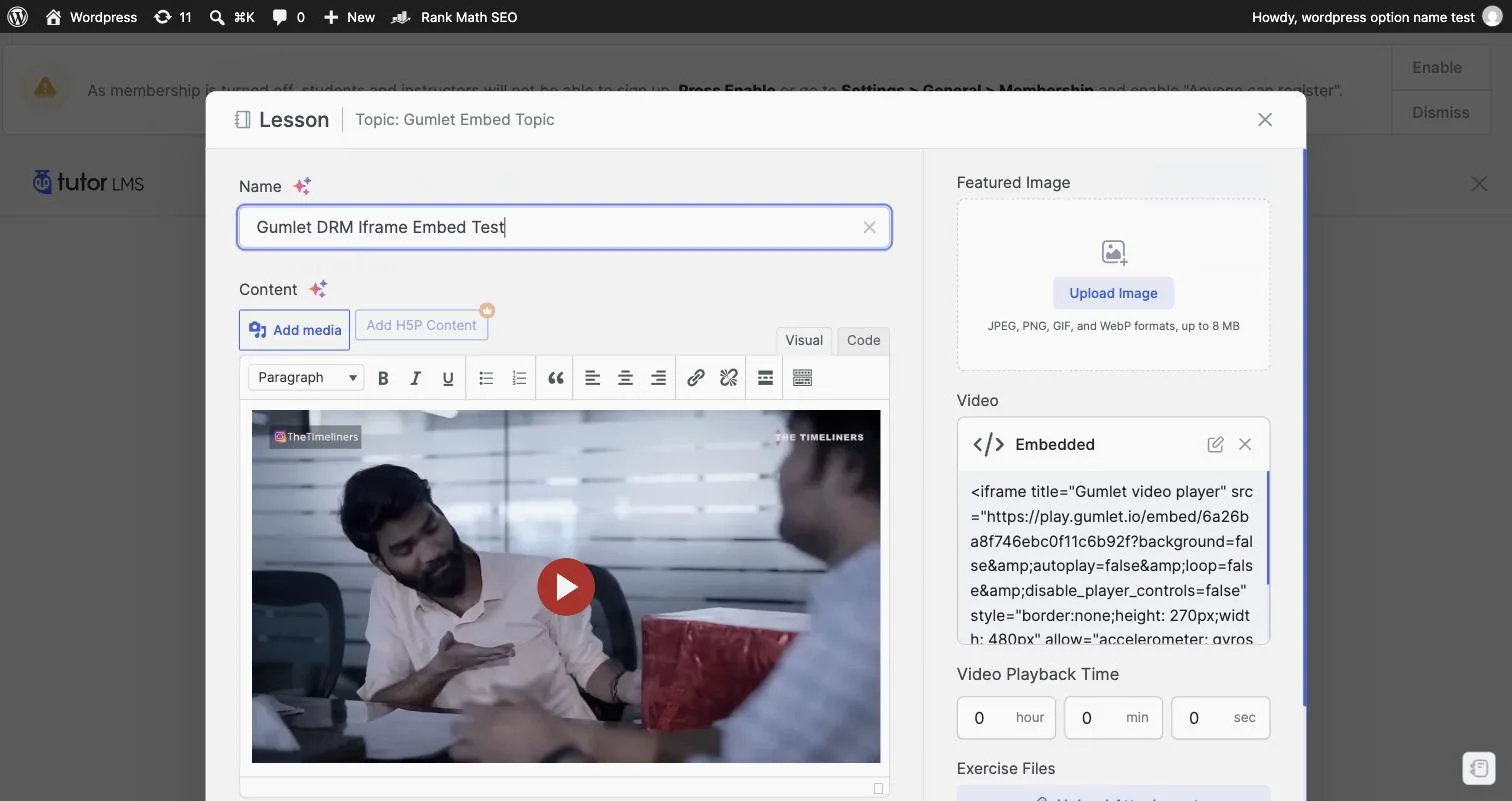
This works the same way for DRM-protected videos — Tutor LMS preserves the encrypted-media
permission the iframe needs for DRM playback.

