User level analytics
Log user level data for video insights and generate reports
To get user-level analytics for videos, you first need to pass user parameters in the Embed code.
You can include the following user data in the embed code as needed to track user-level video analytics.
| Query Parameter | Description | Possible Values | Default Value |
|---|---|---|---|
| gm_user_id | User ID (custom tracking) | A string or integer | undefined |
| gm_user_name | User name (custom tracking) | A string | undefined |
| gm_user_email | User email (custom tracking) | A string | undefined |
A sample Embed code will look like this:
https://play.gumlet.io/embed/64be6a1705ab8a164db198a5?gm_user_id=123&gum_user_email=anshul@gumlet.com&gm_user_name=Anshul
When done, you can create a report in the Insights dashboard and filter by User ID or User Email on the left side.
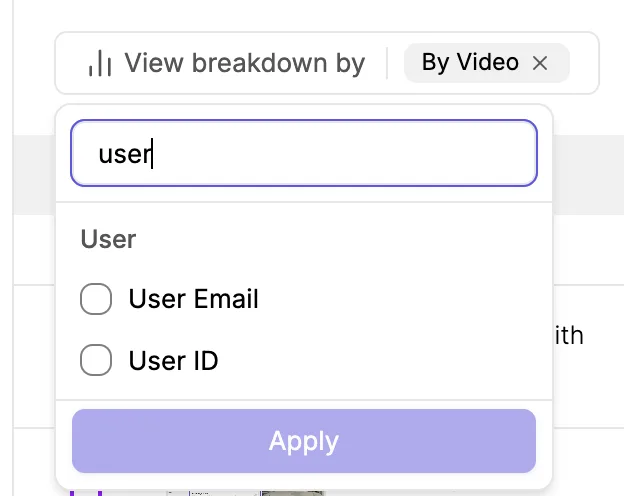
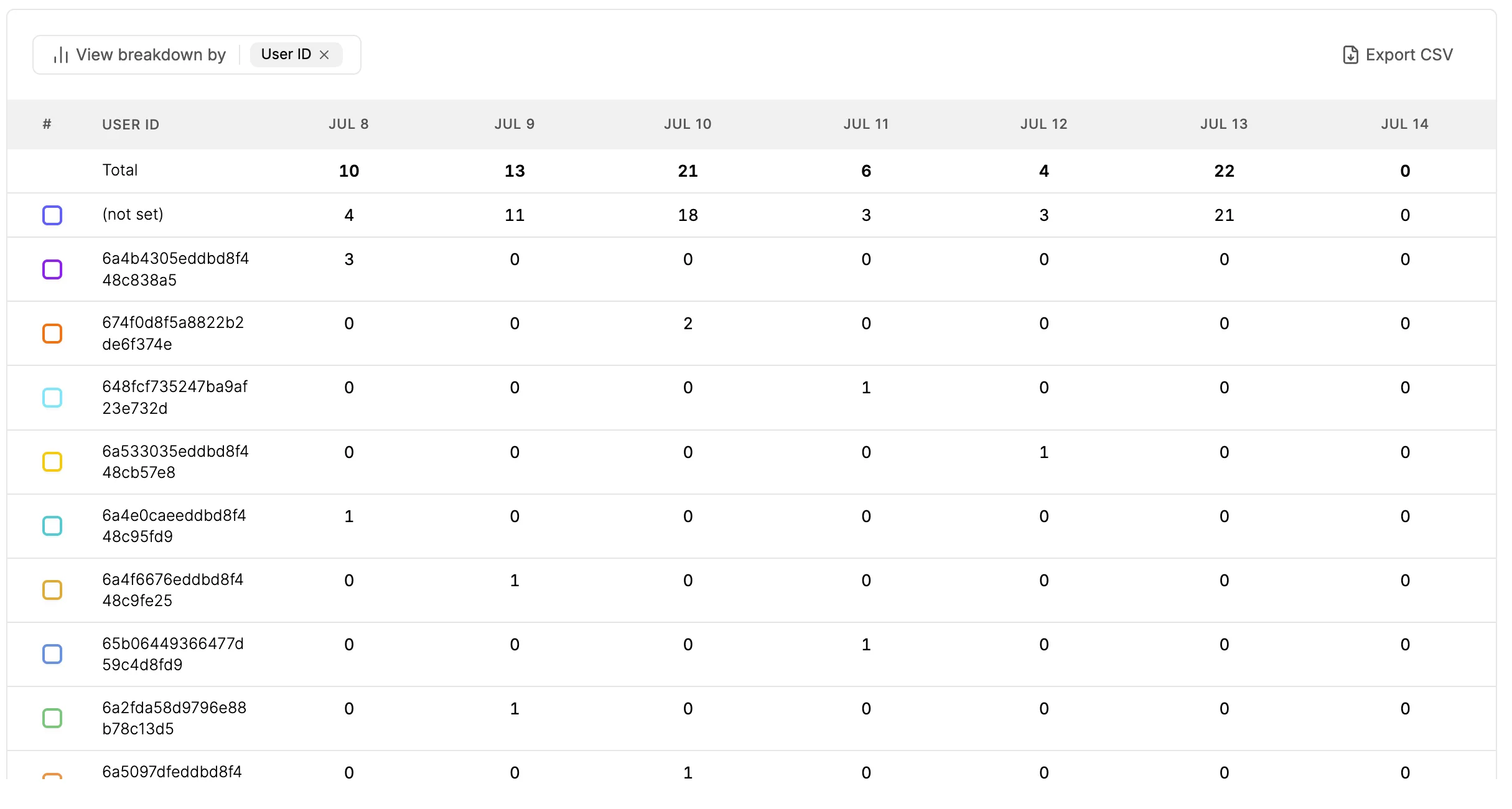
When you break it down, you can find the analytics at a user level. Like which user viewed how many times, or for how many hours, and much more. You can see this data on a graph or table.
Feel free to contact customer support if you have a specific use case or need for video insights.

