AI Features & Credits
Gumlet AI for video and images uses one shared AI credits balance.
The AI credits system applies to accounts that signed up on or after 1 September 2026. Existing accounts created before that date are not affected.
- $1 = 1,000 credits
- Your plan includes monthly credits (table below). Extra usage is billed as overage at the same rate.
- Only successful operations are charged.
- Track usage on the Billing page.
Credits by plan
| Plan | Credits / month |
|---|---|
| Video Free | 1,000 |
| Video Creator | 2,000 |
| Video Growth | 5,000 |
| Video Business | 10,000 |
| Image Free | — |
| Image Growth | 5,000 |
| Image Business | 10,000 |
Video + Image plans combine into one organization balance.
Video AI
Enable these in Processing Settings. Costs also show in the dashboard when you turn features on.
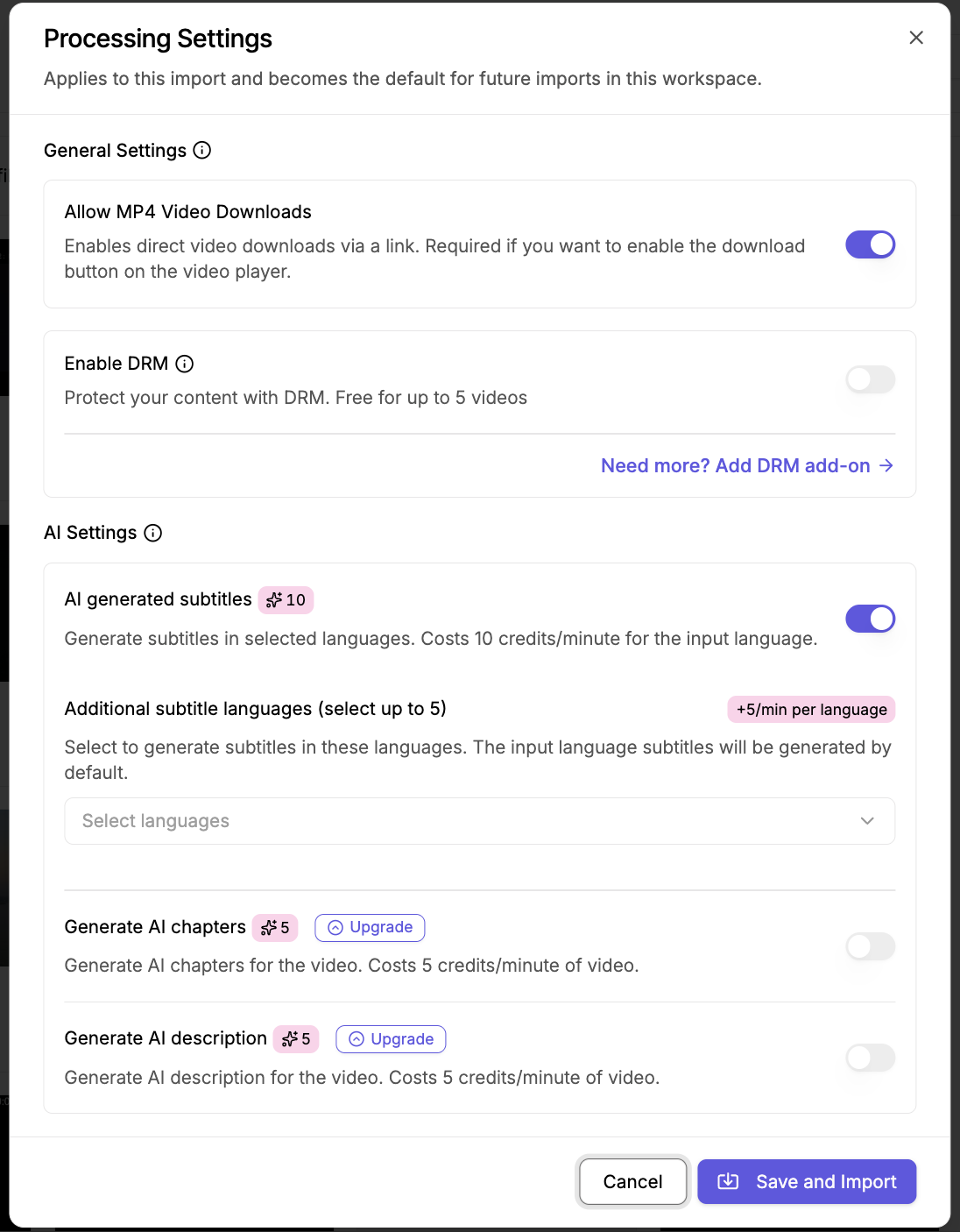
| Feature | Credits |
|---|---|
| AI subtitles | 10 / min |
| AI translation | 5 / min / language |
| AI chapters | 5 / min |
| AI description | 5 / min |
| Adult content moderation | 10 / min |
Example: a 10-minute video with subtitles + chapters + description = 10×10 + 10×5 + 10×5 = 200 credits.
AI summary and AI chapters are available on the Growth plan and above (not on Free or Creator).
Supported subtitle languages: list.
To apply new processing settings to an older video, use Reprocess Video. Reprocessing runs from scratch and charges credits for the AI options currently enabled.
Image AI
Use the Image Transform API.
| Feature | Parameter | Credits |
|---|---|---|
| Background removal | remove_bg=true | 25 |
| Background extend | extend_bg=true | 200 |
| Background replace | change_bg=true + prompt | 200 |
| Shadow | add_shadow=true | 10 |
| Smart crop | mode=crop&crop=smart | 10 |
| Face crop | mode=crop&crop=faces | 10 |
| Upscale | upscale=true | 25 |
Example: remove background + shadow = 25 + 10 = 35 credits.

