Webhooks
Reference for creating webhooks for asynchronous events.
Gumlet uses webhooks to notify your application about things that happen asynchronously, apart from the API request-response cycle. For example, you may want to update something on your end when a video asset status changes from queued to ready or errored. When these events happen, Gumlet will make a POST request to the address you give us and you can do whatever you need with it on your end.
Configure Webhook via dashboard
Webhooks can be configured here using a webhook endpoint URL, trigger, and a secret token to ensure authenticity. Once the webhook is configured for a video source or different video sources, a notification will be sent for each event for the source/s. Currently, Gumlet webhook will be triggered with the following events.
Video webhooks
| Event Type | Description |
|---|---|
| video.status.created | Video Asset is created on Gumlet. |
| video.status.stream_ready | Video is available for streaming with single resolution, triggers immediately after video upload |
| video.status.downloaded | Video file is downloaded on Gumlet server for processing |
| video.status.processed | Video is processed |
| video.status.deleted | Video Asset is deleted by the user. |
| video.status.errored | Video is errored while processing |
| video.status.ready | Video is ready to embed |
| event.video.uploaded | Video is uploaded |
| video.status.repackaged | Subtitle or Audio stream is successfully added to the video asset |
| event.embed.viewed | The video is viewed for the first time |
| event.embed.cta_clicked | Call-to-action clicked on an embed |
| event.video.updated | Video details were updated (title, tags, description, privacy) |
| event.playlist.created | New playlist is created |
| event.playlist.asset | Asset added or removed from a playlist |
| event.playlist.deleted | Playlist is deleted |
| event.embed.form_submitted | New Lead captured |
| event.comment.all | A comment is added, replied or resolved |
| event.channel.member_joined | A new Channel member joined |
Detailed documentation for video webhooks is available here.
Live video webhooks
| Event Type | Description |
|---|---|
| live.video.status.created | Live video session created |
| live.video.status.preparing | Live video session preparing to start |
| live.video.status.ready | Live video session ready for streaming |
| live.video.status.connected | Live video session connected to source |
| live.video.status.complete | Live video session completed and ended |
| live.video.status.active | Live video session actively streaming |
| live.video.status.disconnected | Live video session disconnected from source |
Detailed documentation for live video webhooks is available here.
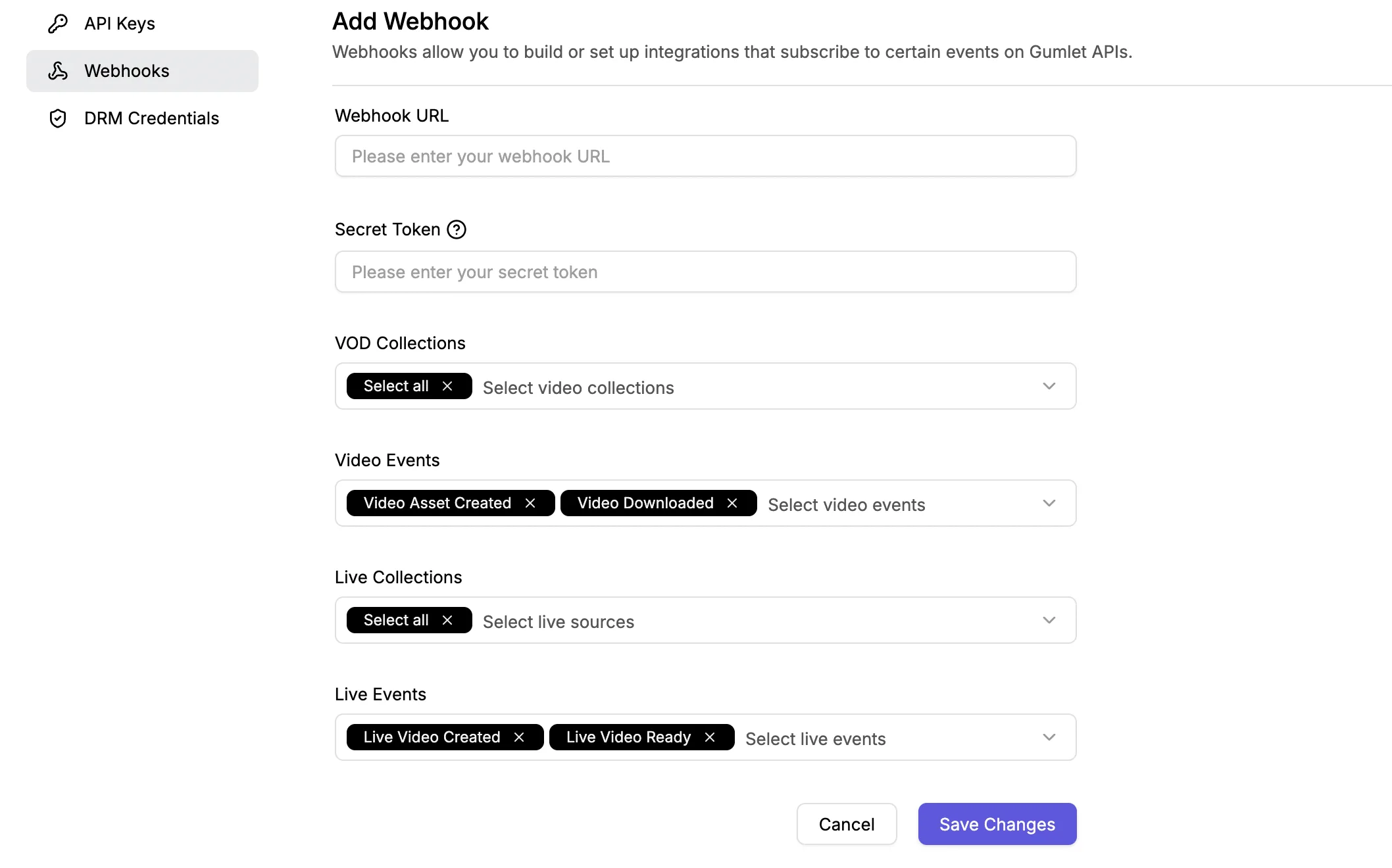
Here, the optional parameter Secret Token is used to ensure in your code that the Webhook is coming from Gumlet. If you give this parameter, you will receive it back as x-gumlet-token inside the request header with each request.
Webhook Failure
If Gumlet doesn't receive a 2xx response from your system, we will continue to try the message for the next 24 hours (with half an hour of delay between attempts).
If process_low_resolution_input flag is passed as true, and the video asset frame size is lower than the minimum supported frame size for the specified format, Gumlet will simply put your video asset into the specified format and will provide an additional warning block like below in the webhook response.
warning: {
    code: 'WRN_LOW_FRAME_SIZE',
    message: "Video Asset dimensions are lower than minimum supported frame size (240 pixels for HLS/DASH and 145 pixels for mp4). Any types transformation (resize, crop, pad, overlay etc.) specified would not be applied."
}
Webhook response
{
  "input": {
    "live_video_source_id": "68678418fc386bd77fd5c689",
    "resolution": [
      "360p",
      "480p",
      "720p",
      "1080p"
    ],
    "title": "Live stream at 04:25:38 on 2nd September"
  },
  "output": {
    "playback_url": "https://video.gumlet.io/68678418fc386bd77fd5c689/68b671c1373a93b5103e1f9a/master.m3u8",
    "embed_url": "https://play.gumlet.io/embed/live/68b671c1373a93b5103e1f9a",
    "storage_size": 0,
    "duration": 0,
    "recording_playback_url": "https://video.gumlet.io/68678419fc386bd77fd5c69c/68b671c1373a93b5103e1f9c/main.m3u8"
  },
  "type": "live.video.status.complete",
  "status": "complete",
  "live_asset_id": "68b671c1373a93b5103e1f9a",
  "created_at": 1756787138405,
  "updated_at": 1756787392403,
  "recording_asset_id": "68b671c1373a93b5103e1f9c",
  "vod_collection_id": "68678419fc386bd77fd5c69c"
}
Configure Webhook via API
You can also configure webhooks via API. Follow the docs here to learn more.
Automation Integrations
You can integrate these automation tools to streamline your video and live video workflows. Learn more about video automation here.

